Bing Search API for SEOPressor LSI Settings
Quick steps to find Bing Search API for SEOPressor LSI Settings
SEOPressor LSI Settings requires Bing API Key for Search for extracting Latent Semantic Indexing keyword which are 100% best for SEO Onpage optimisation
Most Viral Tool - SEO Audit Tool | Reseller Profit Tracker Generator | Freelance Invoice Generator | ADHD Planner Generator
Follow steps to Create Bing API Key for Search

3.Go to Bing API Key checkout page, select TOS, and click on sign up
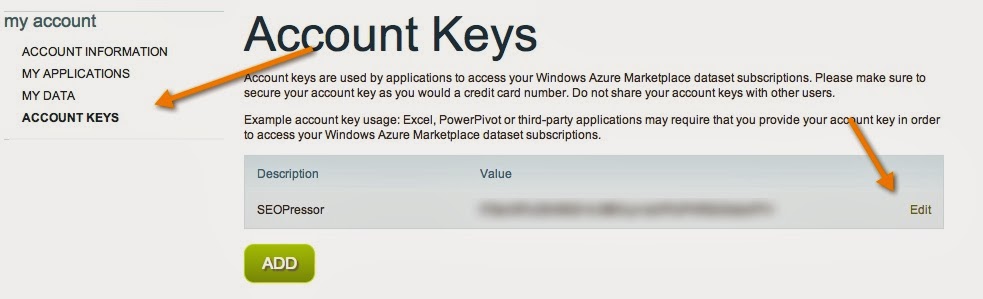
4.Click on account link at the top navbar. Under Account page> Click on account keys and you will be taken to next page, containing your Bing API key.(See screenshot)
Trending Today- Earn $$$ FREE | Trending LIFE Quotes | HOT DEBATES | Autograph | FREE PAID Tools | Advertise FREE |

5.Finally go to SEOPressor settings > Advanced > LSI Settings, and add the Bing API key you got from step 4 to activate the LSI feature.