

Last updated on September 25th, 2026 at 09:04 am
Most Viral Tool - SEO Audit Tool | Reseller Profit Tracker Generator | Freelance Invoice Generator | ADHD Planner Generator
Local businesses live and die on trust signals. You can rank in the map pack, run tidy Google Ads, and still lose the enquiry because your website looks anonymous next to a competitor who shows forty-seven five-star reviews above the fold. A Google review widget closes that gap — but only if you treat it as part of local SEO and reputation management, not as a decorative badge you paste once and forget. I have spent the last year embedding review feeds for clinics, trades, and hospitality clients across the UK. This guide is what I wish those owners had read before they screenshot-pasted testimonials or bought the wrong layout.
Why Google reviews matter for local SEO beyond the map pack
Most local SEO advice stops at Google Business Profile optimisation: categories, photos, posts, review velocity. That work matters, but your owned website is where high-intent visitors compare quotes, check insurance credentials, or book after hours. Reviews on Maps help discovery; reviews on your site help conversion. BrightLocal’s recurring consumer surveys show that a large majority of people read online reviews before choosing a local business, and many trust them as much as a personal recommendation. When those reviews only exist off-site, you are asking buyers to leave your funnel to verify credibility.
Embedding reviews does not replace GBP work — it extends it. Consistent NAP data, local landing pages, and genuine review acquisition still drive map visibility. A google reviews widget on your service pages reinforces the same ratings Google already associates with your listing, which reduces cognitive dissonance when someone clicks through from Search. That alignment is subtle but real: visitors who see matching star averages on Maps and on your homepage are less likely to bounce back to the SERP looking for “someone more established.”
What a Google review widget actually does
Google does not ship an official, brandable review feed for arbitrary website pages. Business Profile widgets focus on Maps behaviour, not on styled testimonial blocks inside your design system. A third-party google review embed service — I use GR Widget on client sites — resolves your Place ID, syncs review text and metadata server-side, and serves a lightweight script that renders badges, carousels, or full feeds. You customise colours and layout in a dashboard; the public site loads one async tag, similar to analytics.
Trending Today- Earn $$$ FREE | Trending LIFE Quotes | HOT DEBATES | Autograph | FREE PAID Tools | Advertise FREE |
The distinction matters for non-technical owners. A widget is not a PDF of testimonials and not a static HTML table you update manually. It is a live mirror of your Google reputation, subject to sync frequency and filtering rules you control. Paid tiers typically unlock daily sync, minimum-star filters, and optional JSON-LD for aggregate ratings — features worth understanding before you compare vendors. GR Widget’s feature overview spells out sync limits and schema support without requiring a sales call.
Google review embed options compared
Before you pick a tool, map the alternatives honestly:
- Manual screenshots — fast to ship, impossible to maintain; violates the spirit of authentic social proof and offers no structured data.
- Maps iframe or “leave a review” buttons — fine for driving new reviews, weak for displaying existing ones inline with your brand.
- DIY Google Places API — engineer-heavy; the standard Places detail response caps visible reviews, so you need OAuth-based Business Profile sync for depth.
- Managed widget platforms — operational cost, but you trade that for sync, layout variety, and embed code your marketing team can own.
For a universal install path, GR Widget’s how to embed Google reviews on a website guide walks through the script-and-div pattern that works on any CMS. WordPress users should follow the dedicated WordPress embed guide — plugin plus shortcode beats pasting raw HTML into a fragile theme file. If you are evaluating incumbents, their Elfsight alternative comparison is a fair side-by-side on pricing and view caps.
Choosing the right widget layout for each page type
Layout choice is where most sites waste the SEO value of a google reviews widget. A carousel buried in the footer satisfies a checkbox; a badge adjacent to your phone number changes behaviour. I default to this matrix:
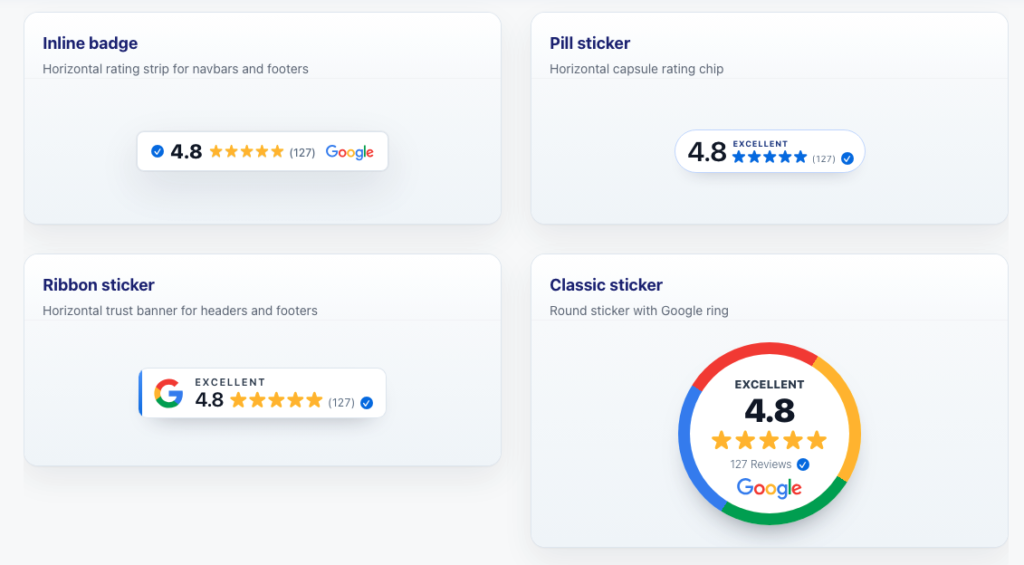
- Homepage hero or header — compact badge with average rating and count; minimal LCP impact.
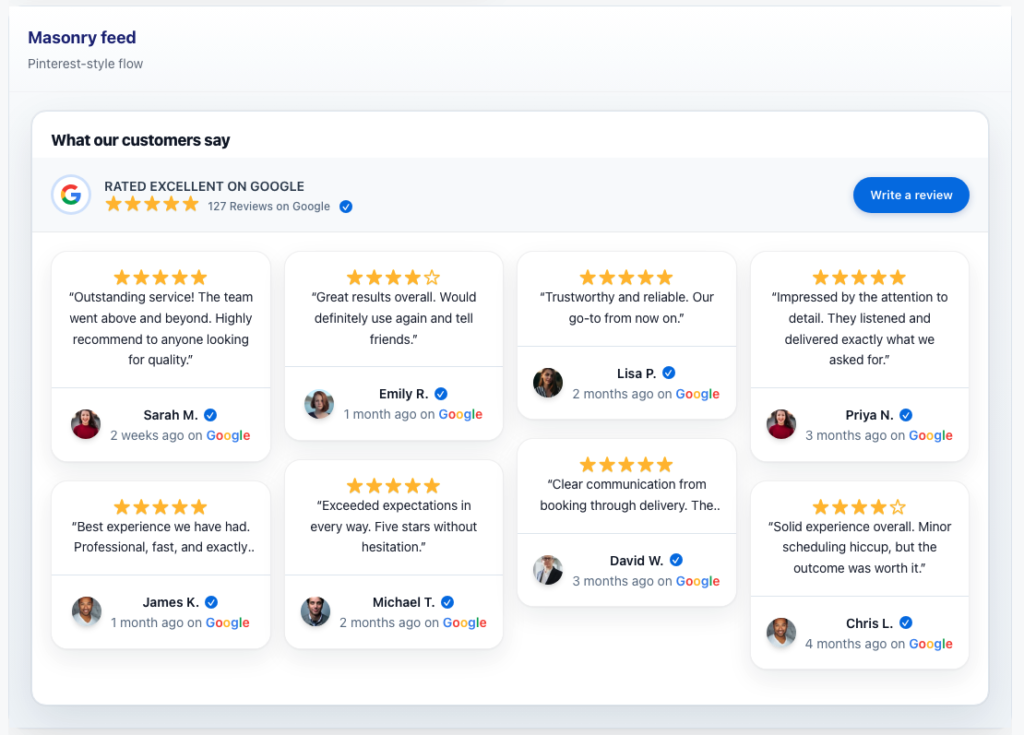
- Service landing pages — grid or list feed showing three to six relevant reviews; pair with page-specific copy, not generic praise.
- Pricing or quote pages — sticker or flyout that expands on tap; mobile-friendly without pushing CTAs below the fold.
- Contact page — badge plus link to leave a new review; closes the loop between display and acquisition.
GR Widget publishes live widget examples across dental, restaurant, agency, and SaaS demos — helpful when a client asks “show me what the carousel looks like on a dark background” without building a staging site first. Switching layouts does not require reconnecting Google; you create a new widget instance and swap embed keys.
Reputation management without gaming the system
Reputation management is not cherry-picking only glowing quotes. Google’s policies and consumer protection rules in the UK both punish misleading presentation. Widget platforms that let you hide sub-four-star reviews entirely can be legitimate for promotional contexts — you are curating marketing copy, not altering Google itself — but over-filtering creates a credibility gap when shoppers cross-check Maps.
My compromise for healthcare and legal clients: show all reviews of three stars and above, cap visible count at six on landing pages, and respond publicly to negative reviews on GBP rather than pretending they do not exist. Display widgets handle showcase; Maps handles authenticity. Train front-desk staff to ask for reviews after successful appointments — widgets amplify earned reputation, they do not replace earning it.
When a location has multiple GBP listings after a rebrand, fix the listing problem first. GR Widget’s Google location setup guide explains Place ID matching — connecting the wrong listing embeds accurate-looking but commercially wrong data. That is a reputation issue, not a widget bug.
Structured data: helpful, not guaranteed
Many owners ask whether a google review embed will produce star snippets in organic search. JSON-LD for aggregate ratings can be valid on local business sites when implemented honestly, but Google has tightened self-serving review markup for years and never guarantees rich results. Treat schema as a nice-to-have side effect of a trustworthy UX, not the primary ROI case.
GR Widget includes structured data options on paid plans and documents limitations clearly — refreshingly rare honesty in this category. Validate with Google’s Rich Results Test after go-live, expect intermittent display, and measure business outcomes (call clicks, form submits) rather than SERP cosmetics alone.
Performance, accessibility, and Core Web Vitals
Local sites often run on shared hosting with bloated page builders. Adding a photo-heavy carousel above the fold can tank Largest Contentful Paint. Mitigations that work in production:
- Load the badge first; defer the full feed below the fold or behind interaction.
- Prefer async script injection over blocking iframes.
- Lazy-load reviewer avatars where the platform supports it.
- Re-test after theme updates — page builders love to reorder scripts.
On recent client launches using GR Widget’s badge on Site-tier hosting, median mobile LCP stayed under 2.5 seconds — acceptable for local lead-gen sites not chasing perfect Lighthouse scores. Carousels cost more; budget accordingly or restrict them to desktop breakpoints.
Step-by-step: your first Google reviews widget
If you are starting from zero, this sequence avoids the usual pitfalls:
- Audit GBP — correct primary category, hours, and at least twenty recent reviews if possible.
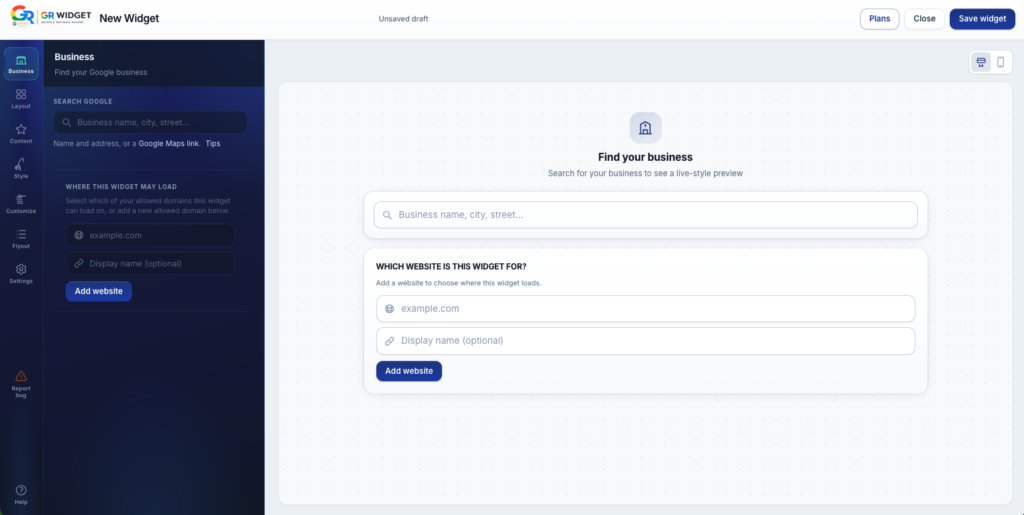
- Create a widget account and search by business name; confirm Place ID against Maps.
- Pick one layout for a high-traffic page — usually a badge near the main CTA.
- Paste embed code on staging; add production domain to allowlist before launch.
- Upgrade sync frequency if weekly updates look stale for your review velocity.
- Review analytics after thirty days — bounce rate and call clicks on pages with vs without widgets.
Platform-specific paths live under GR Widget’s installation guides. Pricing is domain-based with a usable free tier — sensible for a single-location trial before you commit multiple client domains on an agency plan.
Measuring impact beyond vanity metrics
Track widget-adjacent pages in Google Analytics 4 with events on telephone links and primary forms. Compare conversion rate on service URLs before and four weeks after embed — control for seasonality if you are a seasonal trade. Call-tracking numbers on landing pages with review widgets often show higher answer rates even when click volume is flat; callers arrive pre-qualified because social proof did the filtering.
Rank tracking for head terms like google review widget matters to vendors, not to your plumbing firm. Watch local pack position, branded search volume, and on-site engagement instead. If embedded reviews reduce bounce on money pages by even five points, the widget paid for itself faster than any map-pack tweak.
Common mistakes I see on local business sites
- Embedding once during launch, never updating — stale counts erode trust.
- Showing a feed with two reviews when Maps has eighty — looks empty; use a badge until volume justifies a carousel.
- Mismatching star average because the widget points at an old closed listing.
- Placing widgets only in the footer where no one looks on mobile.
- Buying a tool with monthly view caps that throttle during ad campaigns — check limits before Black Friday.
Fixing these is cheaper than acquiring new reviews. A live google reviews embed with daily sync and correct Place ID configuration solves most staleness and mismatch problems without developer hours.
Bottom line for local marketers
A Google review widget is infrastructure for local SEO, not ornament. Choose layout by page intent, sync often enough that the numbers stay honest, and wire reviews into the same trust arc as your GBP and paid campaigns. Tools like GR Widget exist because Google never finished the “show my reputation on my site” story — you still have to pick the embed, but the hard part is strategy, not syntax.
If you are comparing vendors this quarter, start with one high-intent page, measure for thirty days, and expand placements that move the needle. Your future self — and your accounts team — will thank you when enquiries cite “saw your reviews on the website” instead of “found you on Maps and hoped you were legit.”